[RENO] How do I set up my Reno MMU-1600D/DE monitor for an ATSI test?
Standard Test
- Enter MMU-1600, or MMU-1600D-DE Monitor data into Monitor Info (serial number, etc.)
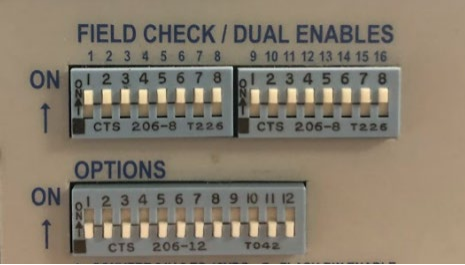
- Set all “FIELD CHECK” and “DUAL-ENABLES” dip switch to the ON position.
- Set all “OPTIONS” Dip switch to off.
- Insert “Regular Test Card” No Jumpers.
- Start test (make sure you Reset Monitor for 5 sec after setting switches). Tester will “beep” when complete.
|
|
|
Set Up ATSI Tester
- On the software click on “Monitor Info” and fill it out. Hit OK.
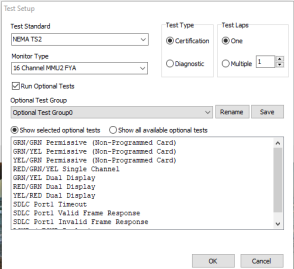
- Next go to “Test Setup” and select NEMA TS2 Monitor Type 16 Channel (If MMU) or 16 Channel MMU2 FYA (if MMU2).
- Select “Test Type” Certification hit OK.
|
|
|